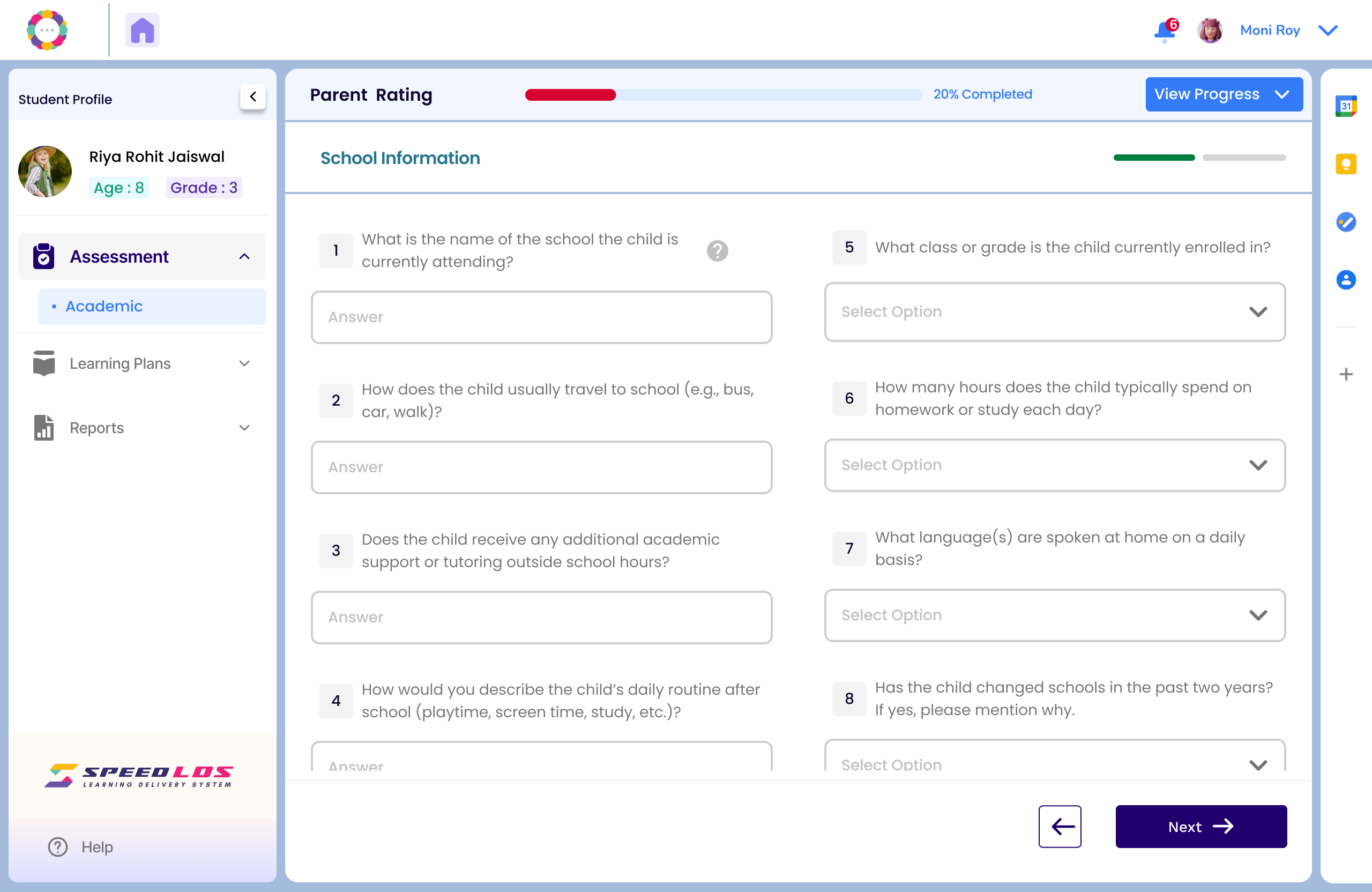
From the Student Dashboard, click on the name of the student for whom you wish to complete the Parent Rating. This will open the student’s profile page.
Step 2: Begin the Assessment
Click on the “Assessment” tab in the left panel.
On the next screen, click “Proceed.”
Select “Parent Rating” to continue.
📝 Note:
You may complete Child Rating or Parent Rating in any order, based on availability.
The Educational and Cognitive reports are generated once the Child Rating is completed.
Step 3: Resume and Complete
If the Parent Rating was previously started, click “Resume Assessment” to continue from where it was left off.
Fill in all required sections based on observations and responses from the parent or caregiver.
Please click on Resume Assessment, complete all the required information, and then submit it.