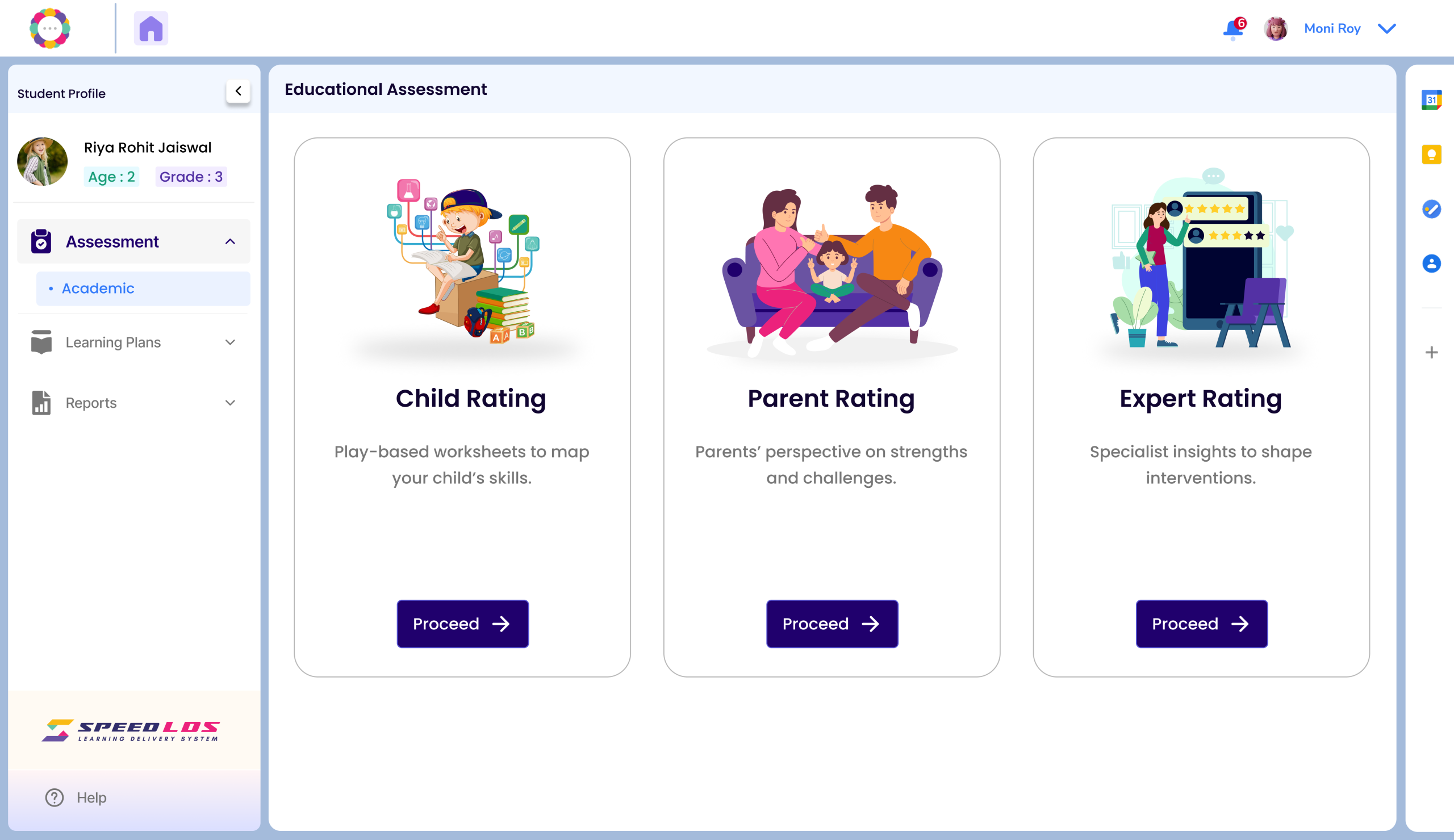
SpEdProbe’s Educational and Cognitive Assessment is a comprehensive, digital tool designed to identify learning gaps and cognitive needs in children aged 5 to 13. It evaluates foundational literacy and numeracy skills alongside key cognitive domains such as attention, memory, and executive functioning. The assessment is structured into three parts—Child Rating, Parent Rating, and Expert Review—offering a 360° view of the learner. Results are instantly generated, guiding personalized intervention plans like IEPs or ICPs, making it a vital first step in supporting inclusive and targeted learning.
Step 1: Log In
Use your Admin or Coach credentials to log in to the platform.
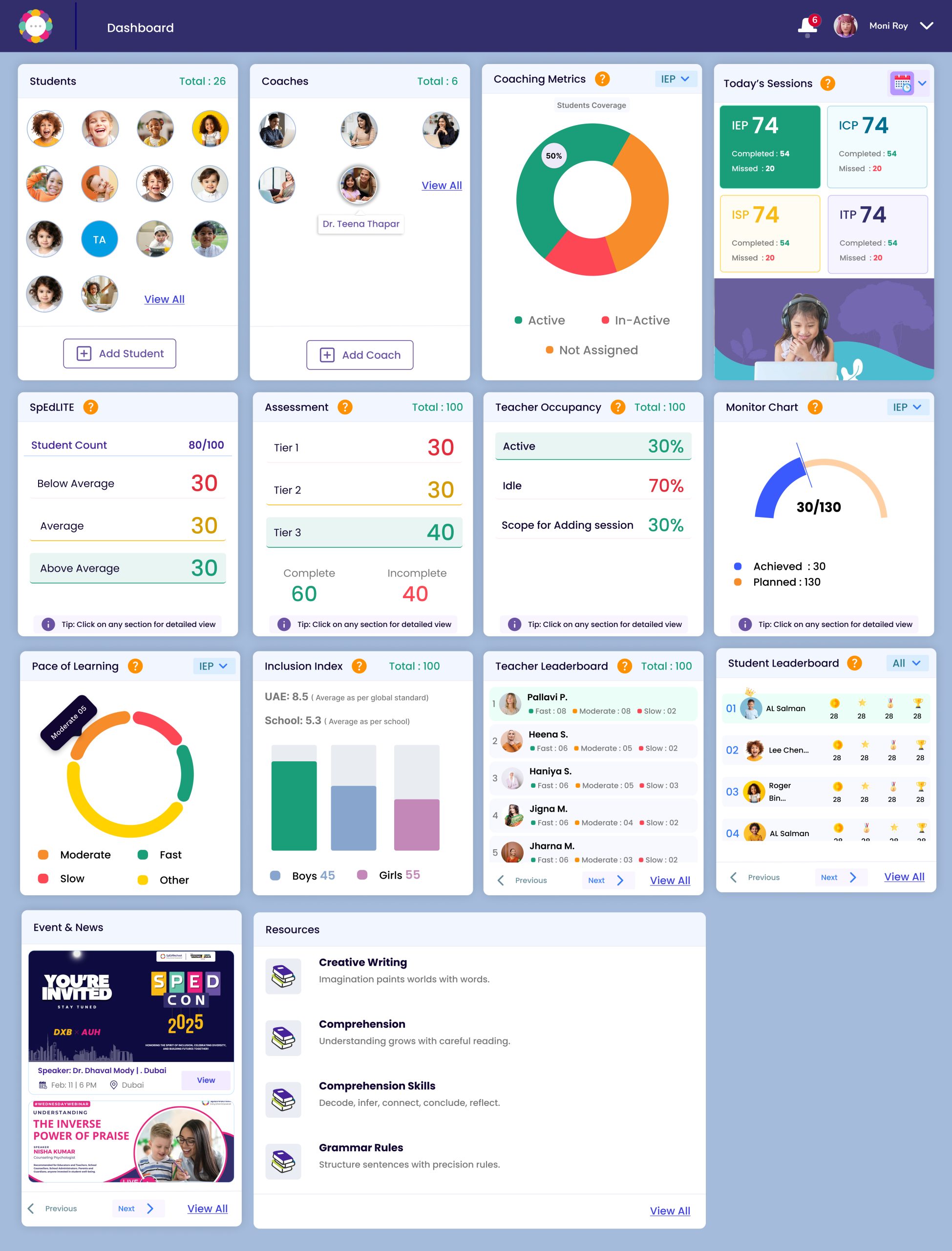
Once logged in, you will be taken to the Dashboard.
Please Note:
Admins have full access, including the ability to assign or restrict feature permissions.
Coaches can conduct assessments only if access has been granted by an Admin.
Ensure that the correct permissions are enabled before proceeding.
Step 2: Select a Student
From the Student List on your dashboard, locate and click on the student’s name.
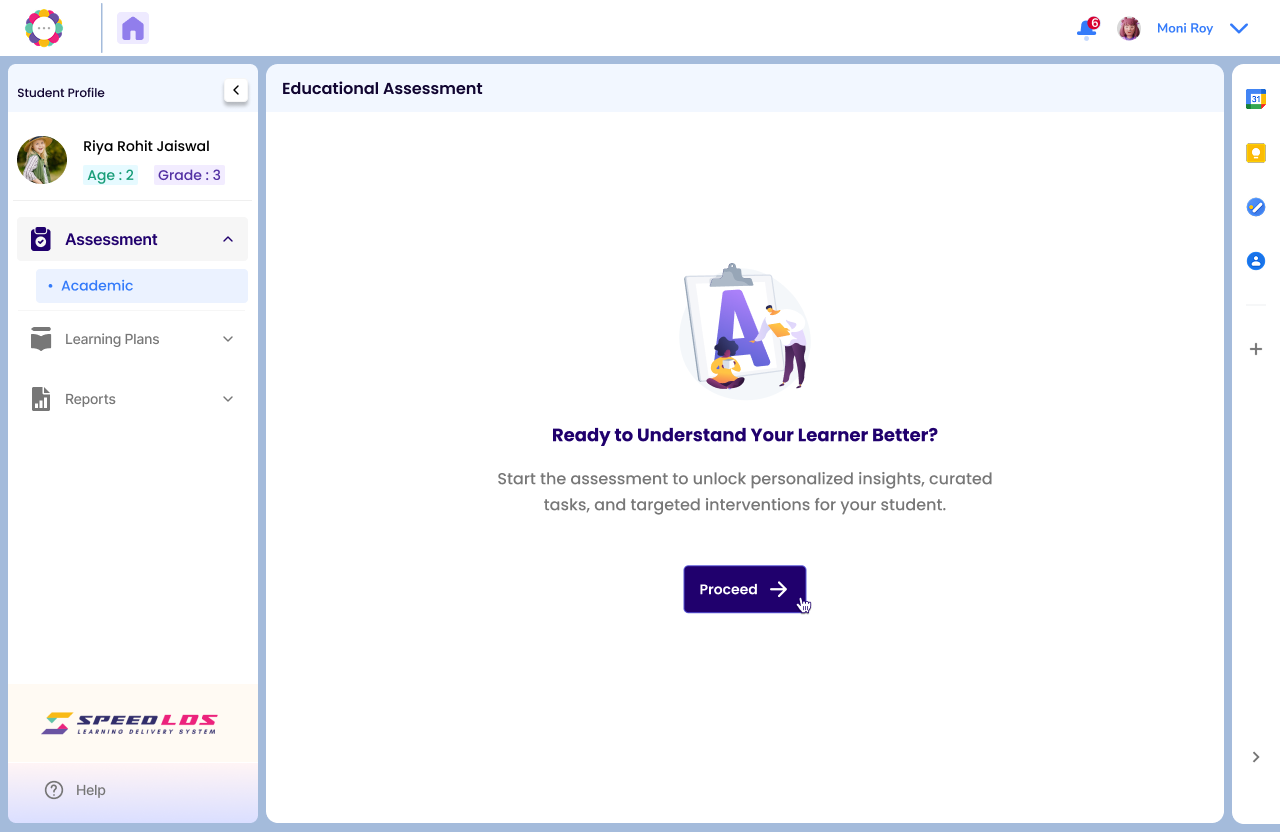
This will take you to the Student Profile Page.
Click on Assessment on the left hand panel and click Proceed.
Step 3: Begin the Assessment
You will be directed to the Assessment page, which includes the following sections:
Child Rating – Interactive tasks completed directly by the child
Parent Rating – Responses provided by the parent or caregiver
Expert Review – Observations and inputs from the coach or therapist
Each section contributes to a comprehensive profile of the student’s cognitive and educational needs.
Step 4: Launch the Assessment
Click “Proceed” to continue to the next screen.
You may choose to begin with either:
Child Rating or
Parent Rating
Once both the Child Rating and Parent Rating are completed, the Expert Review section will become available.