At any point during the term, if the teacher wants to assess the child on their reading skills or comprehension skills, etc, they can do by accessing a running record.
Go the specific student’s profile page.
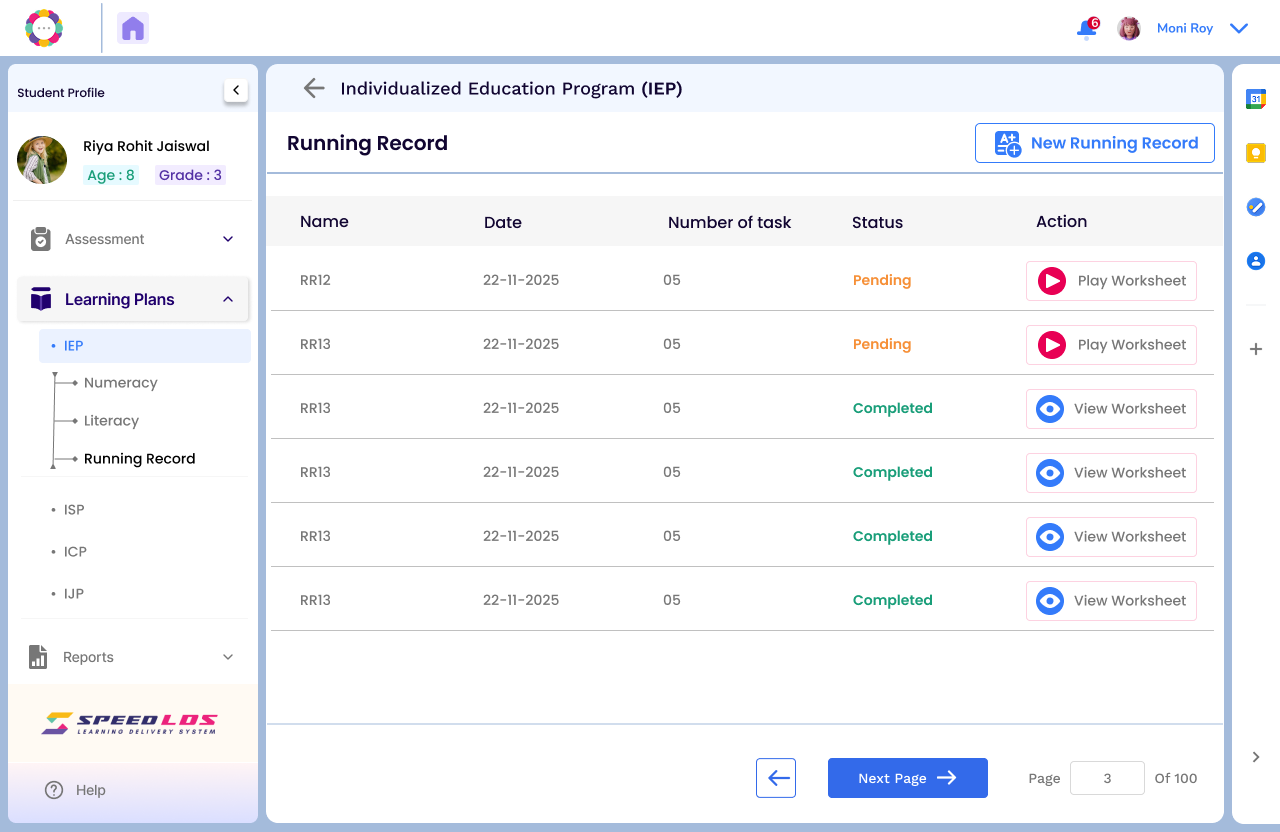
On the left hand panel, under Learning Plans-IEP, you will find Running Record.
Clicking that will open the page below.
You can conduct a ready assessment or view earlier attempts.
For running records to show up in the child profile, a student should have completed atleast 4 subrubrics successfully.
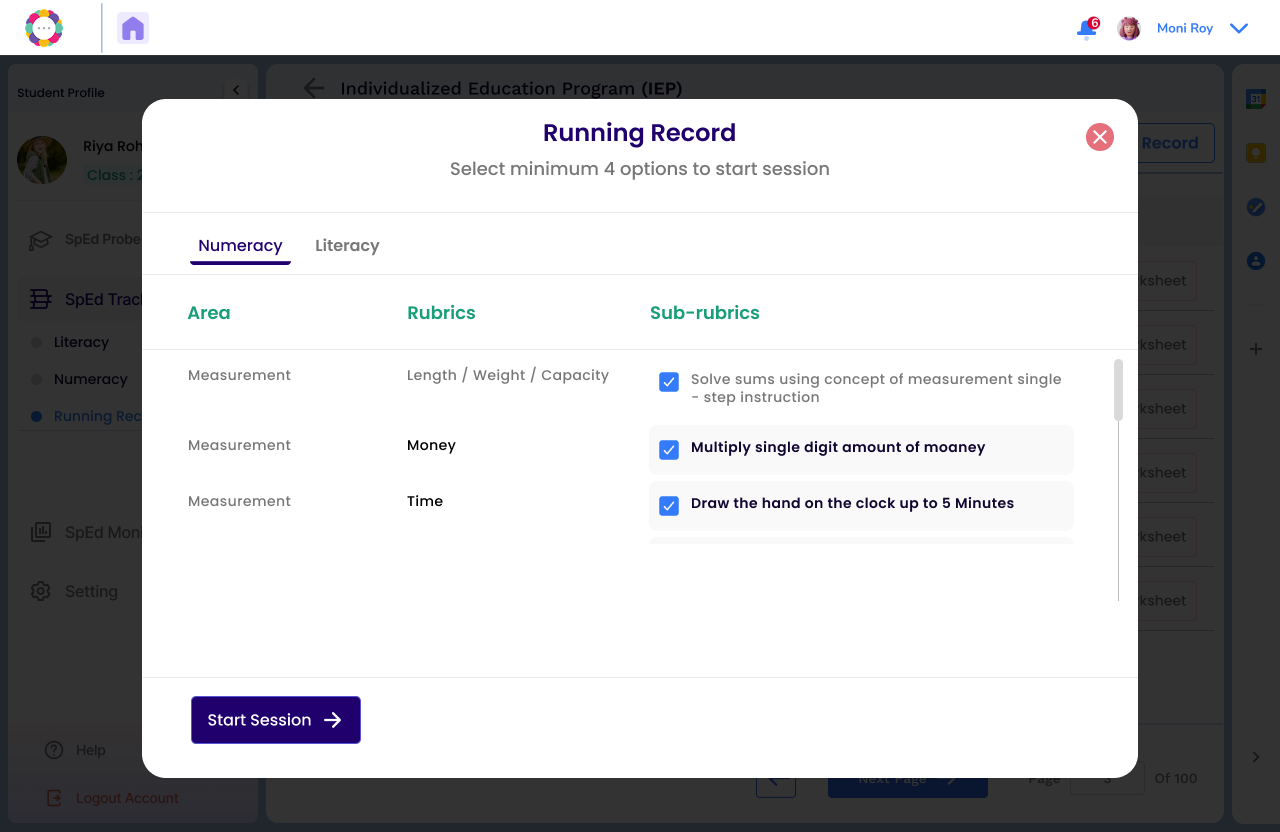
To initiate a new assessment, click on New Running Record and select either Literacy or Numeracy.
Select minimum 4 options to begin the session.
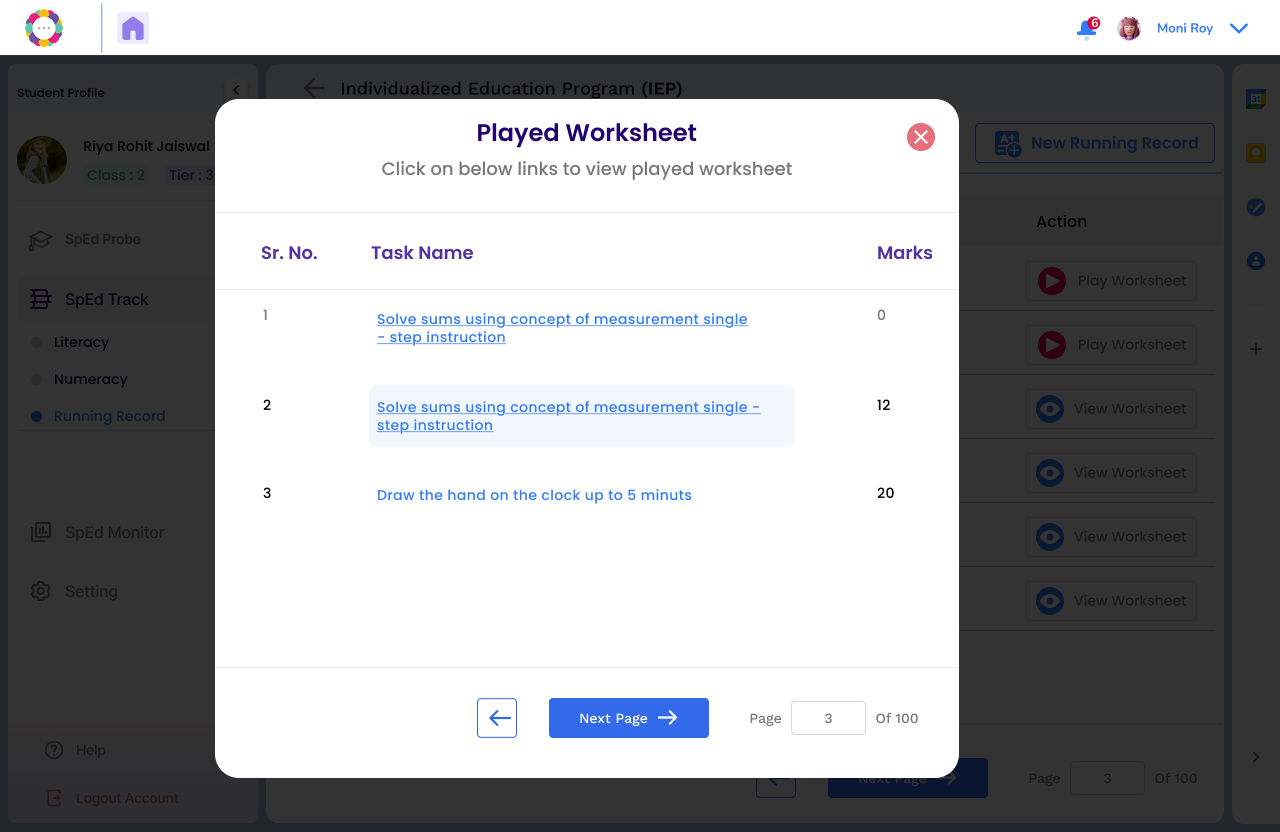
Once the child has completed the worksheets, you will see the list and marks achieved.
Click on each link to see how the child has answered questions in the worksheet.