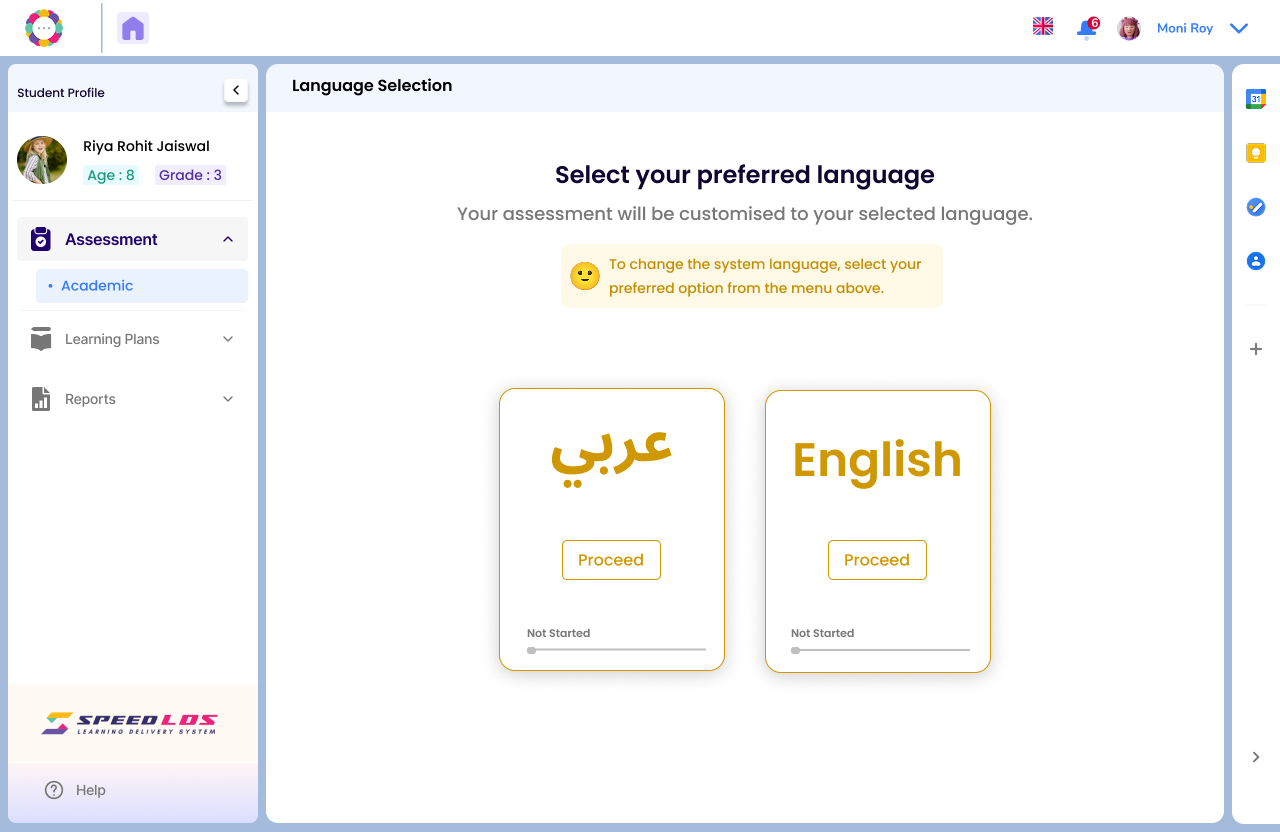
After logging in with the credentials, both coaches and admins have the option to pre-select the assessment language—either English or Arabic—based on the school’s needs or individual student requirements.
The system customizes the entire assessment experience accordingly.
Assessments can be taken in either or both languages, depending on the child’s needs.
The progress bar below each option indicates whether the assessment has been started.
On the left panel, you’ll see student-specific details like name, age, and grade to help you track and manage assessments efficiently.
This dual-language feature ensures that every learner is supported in a way that suits their comfort and educational context.
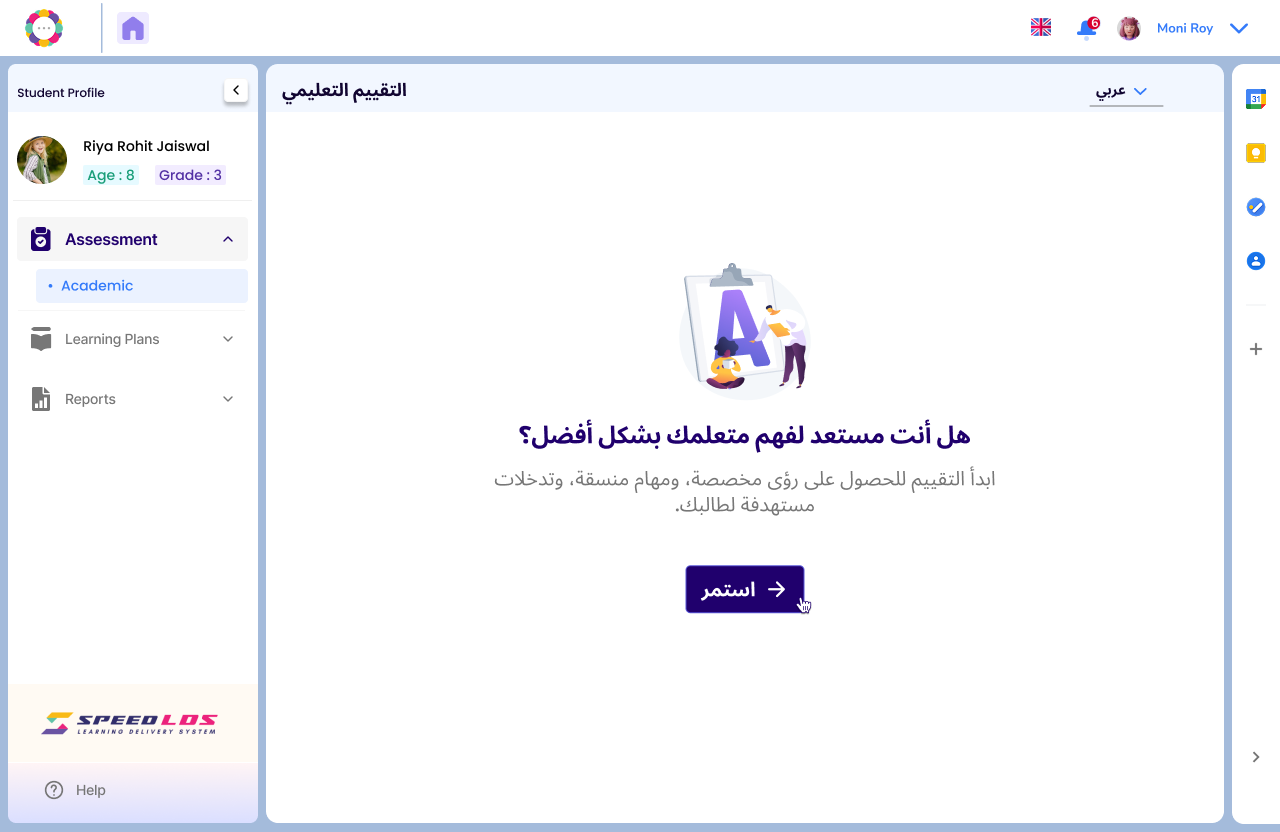
If the Coach or Admin selects “Proceed” for the Arabic language assessment, the next page will automatically display the assessment content in Arabic.
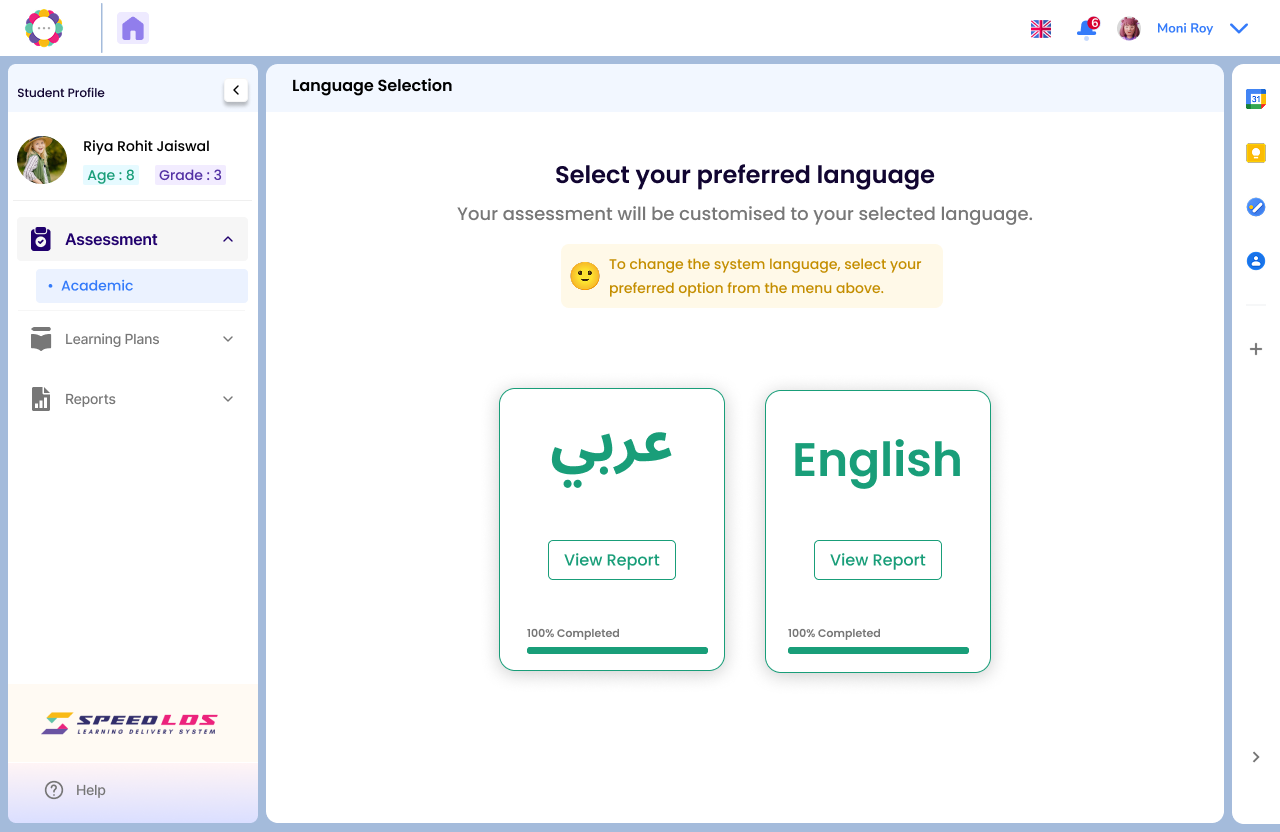
In the screen below, coaches and admins can view the assessment status for each child. The child can resume the assessment from where they left off.
Once the child completes the assessment in both languages—Arabic and English—the “View Report” option becomes available. They can then view the report for each language assessment individually.